
Clamp or grommet: fixing an arm to a desk that can take it

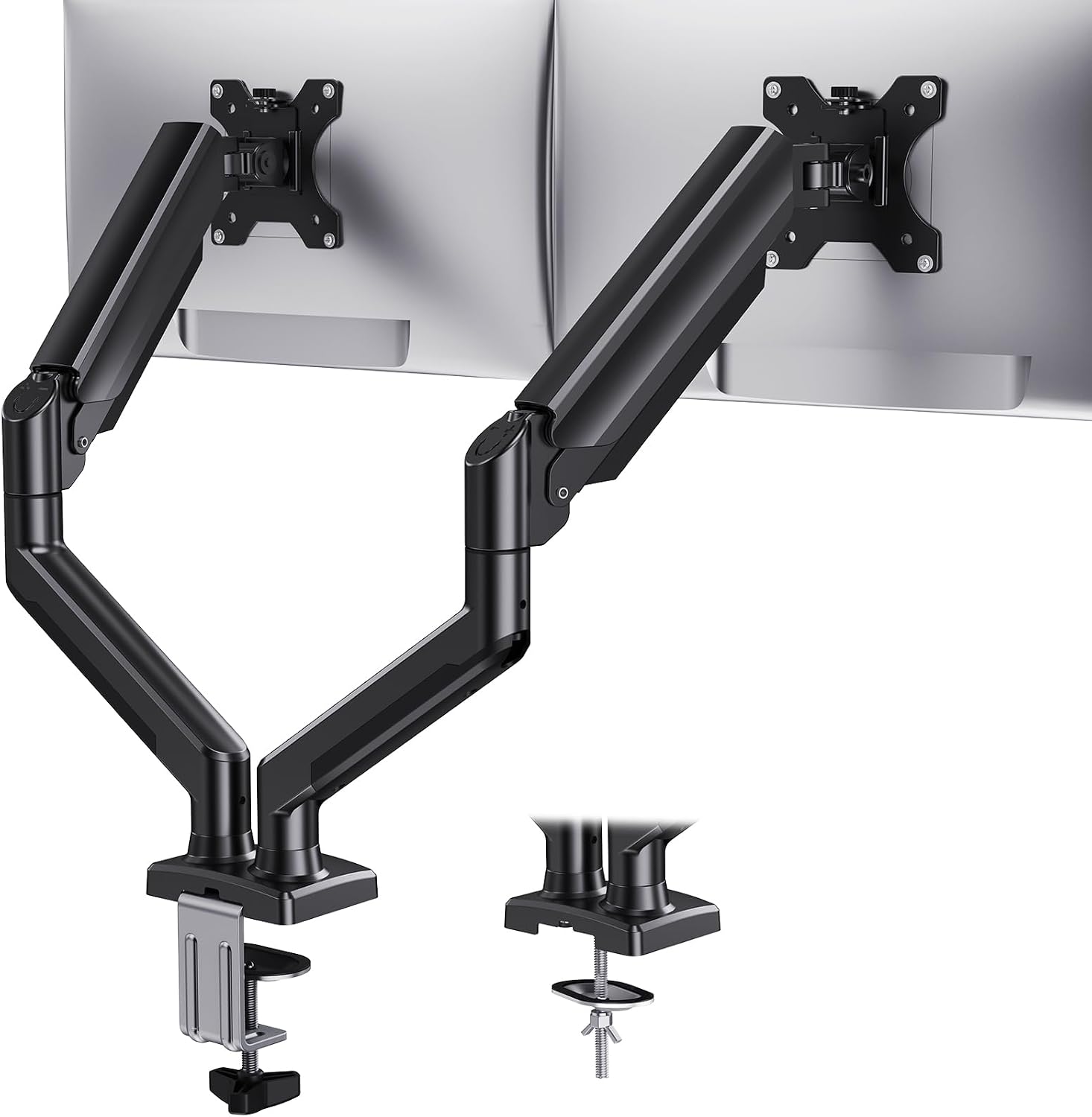
When setting up your workspace, the choice between a clamp or grommet mount for your monitor arm can significantly influence both functionality and aesthetics. Understanding the characteristics of your desk, including its thickness, material, and design, will help you make the right decision for securing your monitor arm effectively.
This guide will explore the key elements to consider when deciding between a clamp or grommet mount. With proper knowledge, you can enhance your workspace ergonomics without damaging your furniture.
Understanding Desk Thickness
Desk thickness is one of the primary factors influencing your choice between a clamp and grommet mount. Most clamps are designed to fit desks ranging from 1 inch to 2.5 inches thick. If your desk is on the thicker side, ensure that the clamp’s specifications accommodate it properly.
Conversely, if your desk is thinner than the clamp’s minimum requirement, a grommet mount could be a better solution. This type of mount typically requires a hole to be drilled into the desk, allowing for a more secure fit regardless of the thickness.
Material Matters
The material of your desk plays a crucial role in determining how a monitor arm can be mounted. Solid wood, for example, offers durability and can handle the weight of a monitor securely with either mount. However, softer materials may require additional care to avoid damage.
For desks made from laminate or particleboard, using a clamp may risk damaging the surface. In these cases, a grommet mount can provide a more stable attachment by utilizing a hole that distributes the weight more evenly across the material.
Considering Overhang
Overhang is the portion of the desk that extends beyond the supporting structure. When using a clamp mount, it’s essential to ensure that the desk overhang can support the weight of your monitor arm without causing instability.
If your desk has significant overhang, a grommet mount can help eliminate any concerns about tipping or wobbling. It secures the arm to the desk at a fixed point, providing a stable base for your monitor even if the desk itself has an extended edge.
Hollow Desk Tops
If your desk has a hollow top, mounting a monitor arm can be tricky. Clamps may not provide enough grip, leading to instability. In such cases, a grommet mount is preferable, as it allows for a more secure attachment through a drilled hole.
When working with hollow desks, ensure that you identify the best location for drilling. The grommet mount should be positioned in a spot that can accommodate the arm’s weight while maintaining structural integrity in the desk.
Protecting Veneer Finishes
Desks with veneer finishes require special consideration when attaching anything to them. Clamps can leave marks or even damage the surface, especially if they are tightened too much. A grommet mount, however, allows for a secure fit without risking damage to the veneer.
To protect your desk’s finish, consider using rubber pads under the clamp if you choose that option. This can help distribute pressure and minimize the risk of scratching or denting your desk’s surface.
Tools Needed for Installation
Installing a monitor arm, regardless of the type of mount, requires specific tools to ensure a proper fit. For clamp mounts, you typically only need a screwdriver for final adjustments. However, for grommet mounts, additional tools may be required.
- Drill with the appropriate bit size
- Screwdriver
- Measuring tape for accurate placement
Having the right tools on hand will streamline the installation process and help you achieve a secure and aesthetically pleasing setup.
Adjustability and Flexibility
Both clamp and grommet mounts offer different levels of adjustability. Clamp mounts usually provide a quick way to reposition your monitor arm without the need for tools. This can be beneficial if you frequently change your workspace layout.
On the other hand, grommet mounts may require more effort to adjust since they involve removing screws. However, once installed, grommet mounts often provide enhanced stability and can support a wider range of monitor sizes.
Future Considerations
When selecting a mounting option, think about potential future needs. A grommet mount is more permanent since it requires drilling, making it ideal for long-term setups. If you anticipate changing your monitor or desk in the near future, a clamp could be more suitable for easy relocation.
Assessing your workspace needs can save you time and effort down the line. Consider how often you might want to reposition your monitor as you make your choice.
The short version
Choosing between a clamp and grommet mount for your monitor arm depends on desk thickness, material, overhang, and your aesthetic preferences. A grommet mount is often preferable for hollow tops and veneer finishes, while clamps provide more flexibility for adjustments. Ensure you have the right tools for installation and consider future workspace needs to make the best decision.
Considerations for Desk Thickness and Material
When choosing a monitor arm, it’s essential to consider the thickness and material of your desk. Thicker, solid wood surfaces can generally support more weight and provide a stable base for mounting. Conversely, hollow or veneer surfaces may require special mounting techniques to prevent damage and ensure the arm remains securely attached without compromising the desk’s integrity.
Overhang is another critical factor; if your desk has a significant overhang, ensure that the monitor arm can accommodate this design. Using protective pads or grommets can help safeguard the veneer or finish from scratches and dents while ensuring a secure fit. Selecting the right mounting solution will preserve the aesthetics of your desk while providing the functionality you need.
Where to go next
Everything discussed here lives in Monitor Arms and Mounts. If you are weighing two options and cannot decide, the answers page covers the questions we get asked most, and a message reaches the people who pack the orders.
From that section
- HUANUO Dual Monitor Mount for 2 Monitors up to 32 Inches
- NB SmooVex Single Monitor Arm for 17 to 32 Inch Monitors
- monTEK Single Monitor Wall Mount, 17–32" Full Motion